
Lotus365 Deposit Failed? Complete Fix Guide for Pending Payments (2026)
If your Lotus365 deposit failed or your money was debited but your wallet still shows the old balance, you are not alone. This is one of the most common payment issues users face, and in most cases it is fixable — either on your end or through your bank. This guide walks you through exactly what to do based on your specific situation, whether your transaction is pending, failed, or successfully deducted but not yet credited.
QUICK ANSWER A Lotus365 deposit fails when your bank declines the transaction, UPI network times out, or a payment detail mismatch is detected. In most cases where money is debited but the wallet is not updated, the amount is automatically refunded within 2–7 business days. If your payment shows pending for over 1 hour, note your UTR number and contact Lotus365 support with your transaction screenshot.
Table of Contents
Identify Your Exact Situation
Use this table to find your situation and the right first step:
| Situation | What You See | First Action | Who To Contact |
| Pending Transaction | Payment stuck in processing | Wait up to 1 hour, note UTR number | Lotus365 support if unresolved after 1 hour |
| Failed — But Money Debited | Bank shows debit; Lotus365 shows failed | Note UTR number; raise dispute with bank | Bank first, then Lotus365 support with UTR |
| Successful but Not Credited | Payment app shows success; wallet unchanged | Screenshot payment success + UTR; contact support | Lotus365 support with proof of payment |
| Verification/KYC Hold | Deposit under review message | Check that account name matches KYC documents | Lotus365 support with ID proof |
What Does “Lotus365 Deposit Failed” Mean?
A deposit failure on Lotus365 means the transaction did not complete successfully and your wallet was not credited. This can happen at three different points:
- Before the money leaves your account — the transaction is blocked or rejected outright
- During processing — payment is deducted but the confirmation never reaches Lotus365
- After deduction — payment arrives at the payment gateway but a system mismatch stops the wallet from updating
The third scenario is the most frustrating because your bank balance drops but your Lotus365 wallet shows nothing. In this case the payment is either in a pending state or will be automatically reversed within a few days.
Why Lotus365 Payments Fail or Stay Pending
There are several distinct reasons a Lotus365 deposit does not go through. Understanding which one applies to you saves a lot of time.
Bank Server Downtime
Banks conduct scheduled maintenance, especially late at night or on weekends. If your bank’s server is temporarily offline, the UPI transaction cannot be processed. The payment may appear as pending and resolve automatically once the server is back up.
UPI Network Delays and Congestion
High-traffic periods — salary dates, festival seasons, late evenings — can cause UPI network slowdowns. A Lotus365 UPI deposit issue during these windows is not unusual. Most pending transactions resolve within 30 to 90 minutes.
Wrong UPI ID or Incorrect Payment Details
If you entered the wrong UPI ID or accidentally made a typo in the virtual payment address, the transaction will fail. Always double-check the UPI handle on the Lotus365 deposit page before confirming.
Insufficient Account Balance
This is straightforward — if your bank account or UPI-linked wallet does not have enough funds, the transaction fails immediately. Your balance stays intact and no money is deducted.
Daily Transaction Limits
UPI has a default limit of Rs. 1 lakh per transaction and most banks set daily caps between Rs. 1 lakh and Rs. 5 lakh. If you have already made multiple transfers that day, your subsequent Lotus365 deposit may be blocked by your bank’s daily limit.
KYC Verification and Name Mismatch
If the name on your bank account does not match the name on your Lotus365 ID, the deposit may be flagged for review. This is a compliance check and the funds will be held until the verification is resolved.
Technical Glitches on the Payment Gateway
Occasionally the payment gateway itself (Paytm, Razorpay, or other processors) experiences downtime. The Lotus365 deposit not received scenario in these cases is temporary and resolves without any user action.
⚠ WARNING: Do not make a duplicate payment while your first transaction is still pending. Two deductions may process and only one refund will be issued promptly — the second can take significantly longer to reverse.
Money Debited but Lotus365 Wallet Not Updated – What To Do
This is Scenario 1 that many users report: they pay through Google Pay or PhonePe, see the deduction on their bank statement, but the Lotus365 wallet balance does not change. Here is what to do immediately:
- Open your UPI app (Google Pay, PhonePe, Paytm) and go to transaction history.
- Find the transaction and note the UTR number (Unique Transaction Reference) — it is typically a 12-digit number.
- Take a clear screenshot showing the UTR number, amount, date, time, and status.
- Log in to your Lotus365 account and go to the transaction/deposit history.
- Check if a pending entry exists — sometimes the credit is delayed but already queued.
- If no entry exists after 30 minutes, contact Lotus365 support and share the screenshot along with your UTR number.
ℹ NOTE: Wallet updates are usually instant but can take up to 30 minutes during high server load. Wait at least 30 minutes before contacting support.
Lotus365 Payment Pending for More Than 1 Hour
A Lotus365 transaction pending status resolves differently depending on how long it has been stuck.
Under 1 Hour
Do nothing except note your UTR number. UPI transactions that are stuck typically auto-resolve within 30 to 60 minutes. Avoid refreshing the page repeatedly or making a new deposit.
Between 1 and 24 Hours
If the Lotus365 payment pending status has not changed after an hour:
- Check your bank’s UPI transaction history to confirm the debit status
- Contact Lotus365 support with your UTR, amount, time of transaction, and payment method
- Raise a complaint within your UPI app (Google Pay > Help, PhonePe > Help & Support)
More Than 24 Hours
A transaction stuck for over 24 hours needs active follow-up:
- File a formal dispute through your UPI app
- Call your bank’s customer care and quote the UTR number — ask them to check the NPCI dispute portal
- Provide Lotus365 support with the bank’s complaint reference number
- If unresolved after 3 business days, escalate to NPCI directly (see NPCI Complaint section below)
⚠ WARNING: A pending UPI transaction cannot be cancelled by you or the merchant. It will either complete or auto-reverse. Do not attempt duplicate payments.
UPI Failed but Money Debited From Bank Account
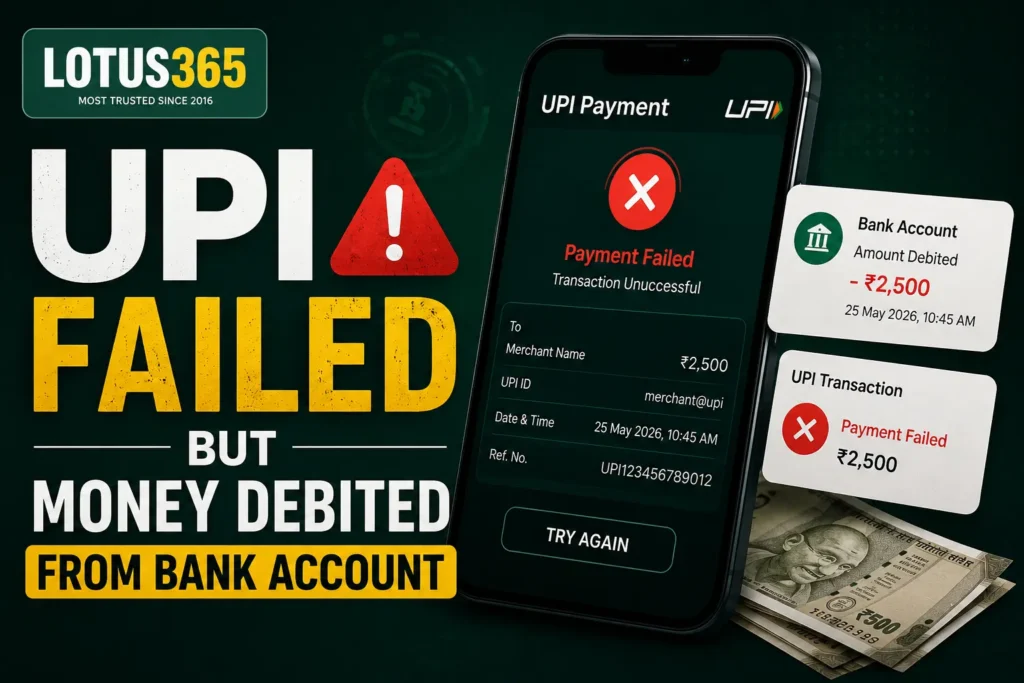
This is Scenario 3 — the most alarming for users. The UPI transaction shows as failed on the Lotus365 side, but your bank account was clearly debited.
Why This Happens
The debit on your bank statement is actually a hold or a pre-debit that was placed during the transaction attempt. In most cases, the reversal happens automatically within 2 to 7 business days. However, if the reversal does not occur, you need the UTR number to pursue a refund.
What is a UTR Number?
UTR stands for Unique Transaction Reference. It is a 12-digit identifier assigned to every UPI transaction by the NPCI. You can find it in:
- Your UPI app’s transaction history (tap on the transaction for details)
- Your bank’s SMS alert for the debit
- Your bank’s net banking transaction statement
Steps to Take
- Collect the UTR number from your UPI app or bank statement.
- Contact Lotus365 support and share the UTR number, debit amount, time, and payment method.
- Simultaneously, log in to your UPI app and raise a dispute against the transaction.
- If the refund is not initiated within 5 business days, call your bank and ask them to raise an NPCI dispute.
Lotus365 Deposit Not Received After Successful Payment
Scenario 2: Your payment app shows a green checkmark and a success message, but the Lotus365 money is not added to your wallet. This is different from a failed transaction.
Work through these steps in order:
- Confirm the payment was made to the correct UPI ID. Go back to the Lotus365 deposit page and verify the UPI handle matches what you paid to.
- Check your Lotus365 transaction history under your account dashboard. Look for a credit entry even if the main wallet balance has not refreshed.
- Hard refresh your Lotus365 app or logout and log back in. Sometimes the wallet display does not update without a session refresh.
- If the balance is still wrong after 30 minutes, note the UTR from your UPI app and contact Lotus365 support.
- Share: UTR number, payment app screenshot showing success, amount, and exact time.
ℹ NOTE: If your payment was made to the correct UPI ID and shows successful, Lotus365 support can manually verify and credit the amount after cross-checking payment gateway records.
Bank Blocked the Transaction – How to Fix It
Some banks have restrictions on payments to certain categories of merchants. If your Lotus365 deposit failed immediately without even reaching a pending state, your bank may have blocked it. Here is how to handle this by bank:
SBI (State Bank of India)
- Call SBI customer care at 1800-11-2211 and request removal of merchant category restriction
- Alternatively, use the YONO app — go to Services > Profile > UPI Settings to manage limits
- If using SBI net banking, you may need to increase your daily UPI limit
HDFC Bank
- Call HDFC Phone Banking and ask to enable UPI payments for your specific transaction category
- Log in to HDFC net banking > Pay tab > Manage UPI Limits to increase the cap
ICICI Bank
- Contact ICICI customer care at 1800-1080 and report the blocked transaction with UTR
- Use iMobile Pay app > Profile > Manage UPI to adjust limits
Axis Bank
- Call Axis Bank at 1800-419-5555 to request unblocking of the transaction
- Log in to Axis Mobile > Services > UPI Settings to check daily limits
General Steps for Any Bank
- Ask your bank whether a merchant category code (MCC) restriction is causing the block
- Request a one-time override or ask to be removed from the restricted list
- Try switching to a different bank account or UPI app as a temporary workaround
KYC, Verification and Name Mismatch Problems
Scenario 4: Your deposit is under review. This typically happens when Lotus365’s compliance system flags an account-level discrepancy.
Why Deposits Are Held for Review
- The name on the payment account does not match the Lotus365 ID registration name
- A new account making a large first deposit triggers automated verification
- The payment came from a third-party account (someone else’s UPI)
- Your KYC documents have not been submitted or are being verified
How to Resolve It
- Log in to your Lotus365 account and check for any pending KYC or verification notifications.
- Ensure the name on your bank account exactly matches the name you registered with on Lotus365. Even minor differences (Priya vs. P Sharma) can cause a hold.
- Contact Lotus365 support and provide a government-issued ID (Aadhaar, PAN, or Passport) that matches your account name.
- If the payment was from a different person’s account, it will almost certainly be rejected — only use UPI accounts registered in your own name.
⚠ WARNING: Lotus365 does not allow deposits from third-party bank accounts. If you pay from someone else’s UPI, the transaction will be flagged and the amount refunded, which can take up to 7 business days.
When Should You Contact Lotus365 Support?
Contact support immediately if:
- Your wallet was not credited after 30 minutes despite a successful payment confirmation
- A UPI transaction is pending for more than 1 hour
- Your bank was debited but Lotus365 shows a failed transaction
- You see a “deposit under review” or verification-related message
- You have already waited the standard auto-reversal period (5 days) and no refund appears
What to Prepare Before Contacting Support
Support teams resolve issues faster when you have this information ready:
- UTR number (12-digit UPI reference from your payment app)
- Transaction ID from the Lotus365 payment page (if available)
- Screenshot of the successful payment from your UPI app
- Screenshot of your bank debit or statement showing the amount
- Exact amount deposited
- Date and time of the transaction
- Payment method used (Google Pay, PhonePe, Paytm, net banking)
- Your Lotus365 Login username or registered mobile number
NPCI Complaint Process (2026)
If your bank and Lotus365 support have both been contacted but the issue is unresolved after 5 to 7 business days, escalate through the official NPCI channel.
Step 1: Raise a Dispute in Your UPI App
- Google Pay: Tap the transaction > Report a Problem > Wrong Debit
- PhonePe: Tap the transaction > Need Help > Transaction Failed / Payment Pending
- Paytm: Transaction history > Raise a Dispute
Step 2: Contact Your Bank Formally
Call or visit your bank and ask them to raise an NPCI dispute on your behalf. Provide the UTR number and date of transaction. Banks are required to resolve UPI disputes within 5 business days under NPCI guidelines.
Step 3: Escalate to NPCI Directly
If your bank does not resolve the complaint within 30 days, you can escalate:
- File a complaint at the NPCI portal: npci.org.in
- Use the Complaint Management System under the UPI section
- You will need your UTR number, bank name, and the details of your previous complaint
- NPCI can compel the bank to reverse funds and may impose a fine for delays
How to Avoid Deposit Problems in the Future
A few simple habits eliminate most Lotus365 deposit failures before they happen:
- Always double-check the UPI ID on the deposit page before confirming
- Keep your UPI app updated — outdated apps have known transaction bugs
- Avoid making deposits during peak hours (8–10 PM) when UPI congestion is highest
- Make sure your bank’s daily UPI limit is set high enough for your intended deposit
- Use only your own registered bank account — never a friend’s or family member’s UPI
- Save your UTR number immediately after any transaction as a habit
- Keep your Lotus365 KYC documents submitted and up to date to avoid verification holds
- If a transaction is pending, wait before trying again — duplicate deposits create refund complications
Related Lotus365 Resources
For further assistance with your account, these resources may help:
- Lotus365 Deposit — Step-by-step guide to making your first or subsequent deposits
- Lotus365 Withdrawal Deposit — How to manage both deposit and withdrawal from the same dashboard
- Lotus365 Login — How to access your account and reset your password
- Lotus365 ID — Creating and managing your Lotus365 account ID
- Lotus365 App — Downloading and setting up the mobile app for faster transactions
- Lotus365 Win — Understanding wallet credits, bonuses, and winnings
Frequently Asked Questions
1. How long does a Lotus365 UPI refund take?
A Lotus365 UPI refund for a failed or reversed transaction typically takes 2 to 7 business days to appear in your bank account. If the refund is not received within 7 business days, contact your bank with the UTR number and request an NPCI dispute. Most auto-reversals happen within 48 hours.
2. Can I make another payment if the first one is pending?
It is strongly advisable not to make a second payment while the first one is still pending. If both transactions process, you may end up with a double deduction and will need to wait for a manual refund on one of them. Wait for the pending status to resolve first, which usually takes under 1 hour.
3. What should I do if Lotus365 money is not added after payment?
First, wait 30 minutes and refresh your account. If the balance is still unchanged, collect your UTR number and payment screenshot from your UPI app. Log a support ticket with Lotus365 providing your UTR, amount, time, and payment method. Support can verify the payment at the gateway level and credit your wallet manually if the payment was received.
4. What is a UTR number and where can I find it?
UTR stands for Unique Transaction Reference — a 12-digit number that identifies every UPI payment in India. You can find it by opening your UPI app (Google Pay, PhonePe, Paytm), tapping on the specific transaction, and looking at the details screen. Your bank’s SMS debit alert and net banking statement also show the UTR number.
5. Can I deposit using someone else’s UPI account?
No. Lotus365 requires that all deposits come from a bank account or UPI registered in your own name. Payments from third-party accounts are automatically flagged for compliance reasons. The amount will be refunded, but it can take up to 7 business days. Always use your own UPI account that matches your Lotus365 registration details.
6. Who should I contact first — my bank or Lotus365 support?
Contact Lotus365 support first if your wallet was not credited despite a successful payment. Contact your bank first if your account was debited but UPI shows the transaction as failed. In the failed-but-debited scenario, only your bank can initiate the reversal through NPCI. Lotus365 support handles wallet-side issues, not bank-side reversals.
Summary: What to Do Based on Your Situation
Here is a quick reference for the five most common outcomes:
| Your Situation | What to Do Right Now |
| Payment Pending | Wait up to 1 hour with your UTR noted. If unresolved, contact Lotus365 support. |
| Payment Failed | Check if your bank was debited. If yes, raise an NPCI dispute via your UPI app and contact your bank. |
| Refund Expected | Wait 2–7 business days. If refund does not arrive, contact your bank with the UTR and escalate to NPCI. |
| Successful — Not Credited | Screenshot your success confirmation and UTR, then contact Lotus365 support. They can manually verify and credit. |
| Under Verification | Ensure your name matches your KYC details. Submit verification documents to Lotus365 support promptly. |
Most Lotus365 deposit issues resolve within a few hours without any action from you. When they do not, the steps above — particularly collecting the UTR and contacting the right party — will get your issue resolved faster than any other approach.