
Lotus Exchange Login vs Lotus365 Login: What’s the Difference?
If you’ve searched for “lotus exchange login” or “lotus365 login” and landed on pages that only tell you to WhatsApp an agent, you’re not alone. Most existing guides skip the part that actually matters: these are two different login systems, with different registration flows, different account types, and different risks.
This guide breaks down exactly how each system works, where most users get stuck, and how to stay safe while logging in. Whether you’re trying to access a Lotus Exchange ID for cricket betting or navigate the Lotus365 account login on your mobile, this is the one resource that covers it all.
Table of Contents
What Is Lotus Exchange?
Lotus Exchange is marketed as a cricket-focused betting exchange popular in India. It emphasises live cricket markets, IPL, T20 World Cup, and international tournaments, with back/lay odds similar to exchange-style betting.
In practice, however, Lotus Exchange operates more like an agent-run sportsbook than a true peer-to-peer exchange. Independent betting education sources note that many India-facing “exchange” platforms use the exchange label as a marketing term rather than describing the underlying model. Users should keep this distinction in mind.
Lotus Exchange also sits within a wider ecosystem of platforms — including Lotus365 and LotusBook247 — where some operators bundle all three under a single master login.
How Lotus Exchange Login Works
The Lotus Exchange login process is almost entirely agent-dependent. Unlike most modern platforms, you cannot create a Lotus Exchange account directly on any official website. Here’s the actual flow most users go through:
What Is a Lotus Exchange ID?
A Lotus Exchange ID is a unique alphanumeric credential (username + password) issued by an agent or third-party ID provider. This ID is what gives you access to the Lotus Exchange dashboard, where you can view odds, place bets, and manage your wallet.
How Agent-Issued IDs Work
- You find a Lotus Exchange ID provider (usually via Google or WhatsApp groups)
- You contact the agent via WhatsApp and share basic details (name, mobile number)
- Some agents ask for a minimum deposit (typically via UPI, GPay, or bank transfer) before issuing credentials
- The agent sends you a username/ID and a temporary password
- You use those credentials on the Lotus Exchange login page (or the agent’s own panel)
One critical point: your agent controls your account. If the agent disappears, ignores you, or withholds your balance, you have no direct recourse through any official channel — because your account isn’t with an official platform, it’s with the agent.
Common Lotus Exchange Login Problems
- ID not activated: Agent hasn’t enabled your account after payment
- Wrong credentials: Case-sensitive IDs entered incorrectly
- Login page not loading: Mirror sites go down frequently; try a different URL
- Account blocked: Outstanding credit or deposit dispute with agent
- Agent unreachable: The biggest risk in the entire model
For a detailed walkthrough of the full login process, see the Lotus365 Login Guide which also covers related platforms.
What Is Lotus365?
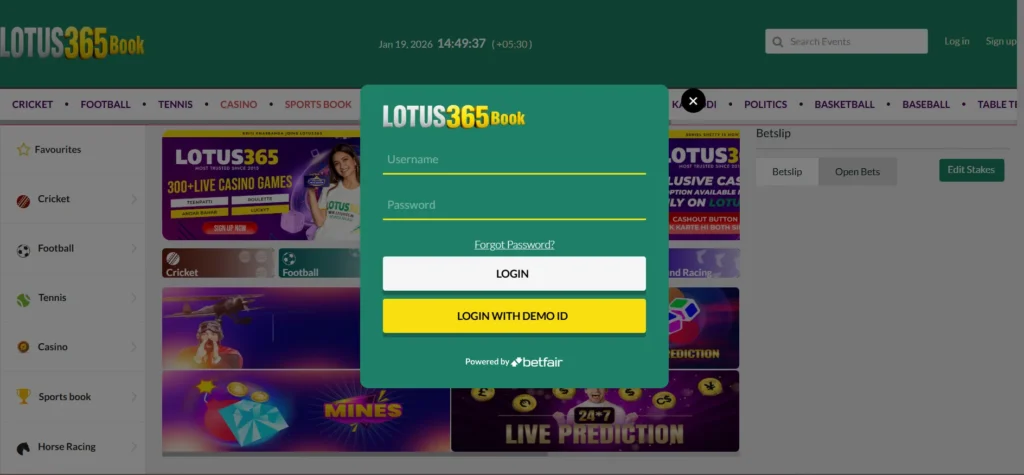
Lotus365 is a larger, multi-vertical betting and casino brand with a longer operational history (reportedly since around 2010). It covers sports betting, live casino games, and an integrated exchange-style section called Lotus365 Exchange, all accessible through a single Lotus365 account login.
The platform targets Indian users with local payment methods (UPI, bank transfer, e-wallets), a dedicated mobile app, and 24/7 support. Official domains have included lotus365.in and various mirror sites. Lotus365 also offers a VIP tier with enhanced limits and dedicated support.
User reviews are mixed: some praise fast logins and withdrawals, while others report payment delays and account issues. This reflects the broader reality of offshore betting platforms targeting Indian users.
How Lotus365 Login Works
Unlike Lotus Exchange, Lotus365 has two distinct login pathways depending on how you obtained your account.
Path A: Self-Registration (OTP-Based)
Some versions of the Lotus365 platform support direct self-registration:
- Go to the official Lotus365 website or app (verify the domain is correct before entering any details)
- Click “Sign Up” or “Register”
- Enter your mobile number, create a password, and add a referral code if you have one
- Verify via OTP (sent via SMS or WhatsApp)
- Set your username. From this point, your Lotus365 login uses your username or mobile number + password across desktop, mobile browser, and the app
Path B: Agent or Support-Issued Lotus365 ID
For VIP accounts and certain panels (such as Lotus365app.biz or Lotus Book), credentials are issued by WhatsApp support or an admin:
- Contact Lotus365 support via WhatsApp
- Complete KYC verification and make an initial deposit (often ₹300 or more)
- Receive your Lotus365 ID and password within 24–48 hours
- Log in via the agent’s panel using the issued credentials
Lotus365 Login: Desktop, Mobile, and App
The same Lotus365 account login credentials work across:
- Desktop browser: Visit the official site, click Login, enter username/mobile + password
- Mobile browser: Identical process, optimised layout for smaller screens
- Lotus365 app: Download from an official source only (see safety tips below), log in with the same credentials
Need help downloading the official application? The Lotus365 App Download Guide covers verified sources and installation steps.
For users interested in the trading side of the platform, the Lotus365 Exchange Betting Guide explains how Lotus365 Exchange markets work.
Lotus Exchange Login vs Lotus365 Login — Full Comparison
Here is a side-by-side breakdown of both login systems across the factors that matter most to real users:
| Aspect | Lotus Exchange Login | Lotus365 Login |
| Core Product | Cricket-focused exchange-style platform (often agent-run sportsbook) | Full sportsbook + live casino + exchange section |
| Registration | Agent/ID provider only — no self-registration available | Self-registration via OTP on some versions; agent-issued for VIP |
| Login Credentials | Agent-issued alphanumeric ID + password | Self-chosen username or mobile number + password; or agent-issued ID |
| Login Flow | Contact agent → get ID → visit login page → enter credentials | Visit site/app → click Login → enter username + password → access dashboard |
| Account Recovery | Agent-dependent; no self-service password reset | Forgot Password via OTP; WhatsApp support for account issues |
| Mobile/App Access | Via mobile browser or agent panel; limited dedicated app | Official app (Android), mobile browser, and desktop all supported |
| Support | WhatsApp to your specific agent only | WhatsApp support, live chat, and in-platform help |
| Betting Features | Cricket, football, tennis, live casino (exchange-style odds) | Sports betting, live casino, Lotus365 Exchange markets, kabaddi |
| Transparency | Low: agent controls account, withdrawal, and access | Moderate: platform-level controls with some user-facing options |
| Scam Risk | Higher: unverified agents, no official recourse | Moderate: fake domains and APKs are the main risks |
Lotus365 Login Not Working? Common Problems and Fixes
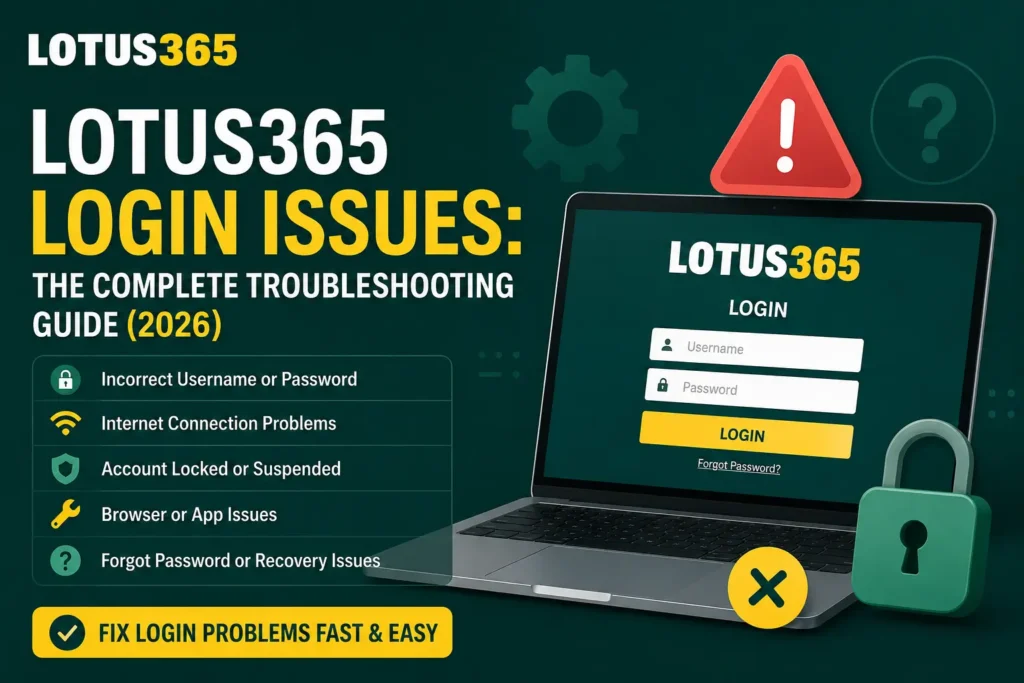
This is where most guides fail users. Here’s a structured troubleshooting reference covering the most common Lotus365 login issues:
| Problem | Possible Cause | Fix |
| Invalid credentials error | Typo in username/ID; caps lock on; extra spaces | Re-type credentials carefully. Try copy-pasting your ID if agent sent it. Reset password if unsure. |
| Forgot password | Password not saved or changed by agent | Use “Forgot Password” on the login page — enter your registered mobile number, verify via OTP, set a new password. |
| OTP not received | Network delay; wrong number; SMS blocked | Wait 2–3 minutes. Request OTP again. Check WhatsApp if SMS OTP is unavailable. Ensure your number is registered correctly. |
| App crashes on login | Outdated app version; corrupted install | Uninstall and reinstall from an official source only. Clear app cache first. Update to the latest version. |
| Login page not loading | Server downtime; wrong mirror URL | Try the official Lotus365 domain. Check if the platform is under maintenance. Switch from mobile data to Wi-Fi. |
| Account suspended/locked | Multiple wrong login attempts; KYC issue; policy violation | Contact Lotus365 support via WhatsApp or live chat. Do not keep attempting incorrect logins — this extends the lock. |
| VPN conflict | Platform blocking VPN traffic | Disconnect VPN and log in on a standard connection. Some mirror sites are region-specific. |
For a deeper dive into specific error messages and solutions, visit the Lotus365 Login Problems Fix guide.
Safety Tips Before Using Any Lotus Exchange or Lotus365 Login
This section is almost entirely missing from competitor articles. Login safety on these platforms is a real concern, and these are the practical steps that matter:
Verify the Domain Before You Enter Anything
Fake Lotus365 and Lotus Exchange websites are common. Before logging in, check that the URL matches a known official domain (such as lotus365.in or the mirror provided by official support). Look for HTTPS in the browser bar. If the domain looks slightly different from what you know — extra letters, different extensions — leave immediately.
Never Install APKs From Unknown Sources
Multiple fake Lotus365 APKs circulate on Telegram and third-party download sites. These can steal your credentials or install malware. Only download the Lotus365 app from a link provided by official support or from the official website.
WhatsApp Scams Are Widespread
Many scammers pose as Lotus Exchange or Lotus365 agents on WhatsApp. Red flags include: asking for a large upfront deposit before sending your ID, refusing to show any official connection, or promising guaranteed winnings. No legitimate platform can guarantee wins.
Protect Your Password
- Use a unique password not shared with any other account
- Never share your Lotus365 password or OTP with anyone, including people claiming to be support
- Change your password immediately if you suspect your account has been accessed by someone else
Understand the Agent Model Before Committing
With Lotus Exchange, remember that your agent controls your account. If your agent disappears with your balance or blocks your withdrawal, there is no official platform-level dispute process. This is the most significant risk in the Lotus Exchange login model.
If you’re concerned about payment issues, the Lotus365 Withdrawal Guide and
Lotus365 Withdrawal Pending Fix cover what to do when withdrawals are delayed or stuck.
Which Login Option Is Better?
There’s no universal answer here — the right choice depends on what you’re looking for.
Lotus Exchange login suits users who specifically want exchange-style cricket betting and are comfortable working through a trusted agent. The login process is simple once you have an ID, and some users prefer the direct agent relationship for larger bets. The trade-off is total dependence on that agent for account access, password resets, and withdrawals.
Lotus365 login is more suitable for users who want a full sportsbook and casino experience with more self-service options. The ability to reset your own password via OTP, use an official app, and access multiple sports and casino products in one account makes it more flexible. The main risks are fake domains and unverified third-party apps.
If you’re just starting out and want straightforward access without agent dependency, Lotus365’s self-registration route offers a lower-risk entry point. If you’re an experienced bettor focused purely on cricket exchange markets and already have a reliable agent contact, Lotus Exchange may suit your needs — provided you understand and accept the agent-model risks.
New to the platform? The How to Create a Lotus365 ID guide walks you through account setup from scratch.
Frequently Asked Questions
Is Lotus Exchange the same as Lotus365?
No. Lotus Exchange is a separate cricket-focused platform with agent-issued IDs. Lotus365 is a broader sportsbook and casino brand with self-registration options. Some operators bundle both under a single master login, but they are distinct products with different login systems.
Can I use the same login ID for both Lotus Exchange and Lotus365?
Only if you are using a bundled panel (such as Lotus Book) that gives access to both platforms under one credential. Otherwise, Lotus Exchange and Lotus365 account logins are separate and use different credentials.
How do I reset my Lotus365 password?
On the Lotus365 login page, click “Forgot Password,” enter your registered mobile number, verify via OTP, and set a new password. If your account was agent-issued and you cannot access OTP recovery, contact Lotus365 WhatsApp support directly.
Why is my Lotus365 login not working?
The most common causes are incorrect credentials, an outdated app, server downtime, or a suspended account after too many wrong login attempts. Clear your app cache, check your credentials carefully, and try a different network before contacting support.
Is Lotus Exchange login safe?
The login itself uses standard credentials, but the agent model carries significant risk. Your account security depends entirely on your agent’s reliability. There is no official dispute process if your agent blocks access or withholds your balance.
How do I get a Lotus365 ID?
You can self-register via the official Lotus365 website or app using your mobile number and OTP verification. Alternatively, for VIP access, contact Lotus365 support via WhatsApp, complete KYC, and make an initial deposit to receive agent-issued credentials.
Final Verdict
Lotus exchange login and Lotus365 login are two different systems built on different assumptions about how users access their accounts. Lotus Exchange puts the agent at the centre of everything — your ID, your password, your account recovery, and your withdrawals all flow through that one person. That model works until it doesn’t.
Lotus365 gives users more control: a self-registration path, OTP-based password recovery, and a dedicated app. The risks shift from agent dependency to domain and APK verification — problems that are easier to manage with the right habits.
Whichever platform you use, verify every login link before entering your details, never share your password or OTP with anyone, and use the troubleshooting resources in this guide before assuming your account is lost.
Running into payment problems? The Lotus365 Deposit Failed Fix guide covers the most common deposit errors and how to resolve them.