Lotus365 Login Issues: The Complete Troubleshooting Guide (2026)
When you’re trying to log into Lotus365 mid-match, there’s a certain level of frustration that comes with it. The score is 18/2 in the powerplay, you’ve seen a value opportunity and the login page is just spinning. Or the OTP is never received. You enter your password three times, and you still get “login failed. This is not just a random glitch. They have predictable failure patterns, causes and fixes.
All of them are explained in this guide. Not in a “clear your cache” sense, but with actual explanations of what’s going on technically and why each fix works.
Table of Contents
Quick Reference: Lotus365 Login Problems at a Glance
| Problem | Likely Cause | Fastest Fix |
| Lotus365 login failed | Wrong credentials, autofill adding spaces | Manually type password; disable autofill |
| Unable to login to Lotus365 | Account locked or ISP block | Try incognito mode or mobile data |
| OTP not received | DND enabled, SMS network overload, weak signal | Check DND settings; wait 2 min and retry |
| App crash on login | Outdated APK, Android battery optimization | Update app; whitelist from battery saver |
| White screen / blank page | Browser extension conflict, cookie corruption | Disable extensions; clear cookies |
| Page loading forever | DNS conflict, ISP throttling, ad blocker | Switch DNS to 8.8.8.8; disable ad blocker |
| Account locked | Too many failed attempts or VPN flagged | Wait 30 min; contact support if persists |
| Browser error (403/Forbidden) | IP flagged, VPN mismatch, session token stale | Disconnect VPN; clear all site data |
| Login session expired | Inactivity timeout or tab left open too long | Log in fresh; avoid keeping tabs idle |
| App asking for login repeatedly | App cache corrupted; background killed by Android | Clear app cache; disable battery optimization |
Why Lotus365 Login Issues Actually Happen
It’s helpful to know the mechanics before getting to the fixes. Similar to most betting platforms in India, Lotus365’s login process involves several layers of authentication:
Credential Mismatch (It’s Not Always What You Think)
It’s a no-brainer, it’s typing the wrong password. However, the lesser known cause, and one that impacts a surprising number of users, is autofill corruption. Sometimes, a saved password has a trailing space, or an old password is filled in after a reset, in Chrome, Samsung Internet, and even iOS Safari.
The field looks correct but the string being submitted isn’t. The same applies to phone numbers as usernames. Even if your number is correct, but you have saved it with a country code prefix (+91), you will receive a mismatch error if the site requires a 10-digit number.
OTP Failures — The Network Layer Problem
Lotus365’s servers do not cause OTP delays. These are triggered by the SMS delivery mechanism between the platform’s messaging API and the carrier. In India, telecom networks are also facing real SMS delivery congestion during peak hours, especially during IPL matches, major cricket tournaments, etc.
TRAI rules also have implications for DND numbers as they can block transactional SMS if the sender ID does not belong to the right category. Weak signals are important as well. A phone with 1–2 bars of 4G could receive the internet data just fine (e.g. WhatsApp) and not receive the SMS data at all, as SMS routing is done on a different network path to internet data.
Session Expiration and Cookie Issues
Lotus365 employs session tokens in the form of cookies. These are used up when they are not in use, usually after 30-60 minutes depending on the device type. If you have a login tab open while viewing the match in another tab, and then return to it and attempt a bet, it could be a stale session. At times, it won’t even tell you this.
It just logs them back in to the login page. Cookie corruption occurs when the browser crashes during a session, or when you close the app. The session information stored is incomplete and authentication fails even if the correct information is entered.
ISP Restrictions and DNS Blocks
This is an under-reported but common occurrence. Some Internet Service Providers (ISPs) in India, especially Jio, BSNL, and regional ISPs, sometimes block access to the domains of betting platforms at the DNS level or by deep packet inspection. You may see: Site not found Timeout * ISP block page The login page does not finish the login process. The website might be functioning as intended. Your ISP just isn’t resolving the domain properly.
VPN-Triggered Security Locks
Some platforms such as Lotus365 track logins. If you usually log in from Mumbai and log in through a VPN server in Netherlands, it might appear suspicious. Possible outcomes include: Temporary account lock Additional verification Security review The platform can identify two different IP addresses in a matter of minutes if you turn the VPN on and off before you log in, which looks like a credential stuffing attack.
Before you troubleshoot, check the safety of the site you are working on.
This is not a standard warning. There are phishing sites that target Lotus365 users and many of them are professionally created.
Before entering any login details:
- Check the URL thoroughly. Fake domains may look like the actual one.
- Look for HTTPS and SSL certificate.
- Always refrain from logging in via a link sent to you in WhatsApp, Telegram or SMS unless you check the domain independently.
- Do not install APKs from unofficial websites.
If you have an old bookmark, go to the current official domain manually and make a new bookmark.
Common Error Messages and What They Actually Mean
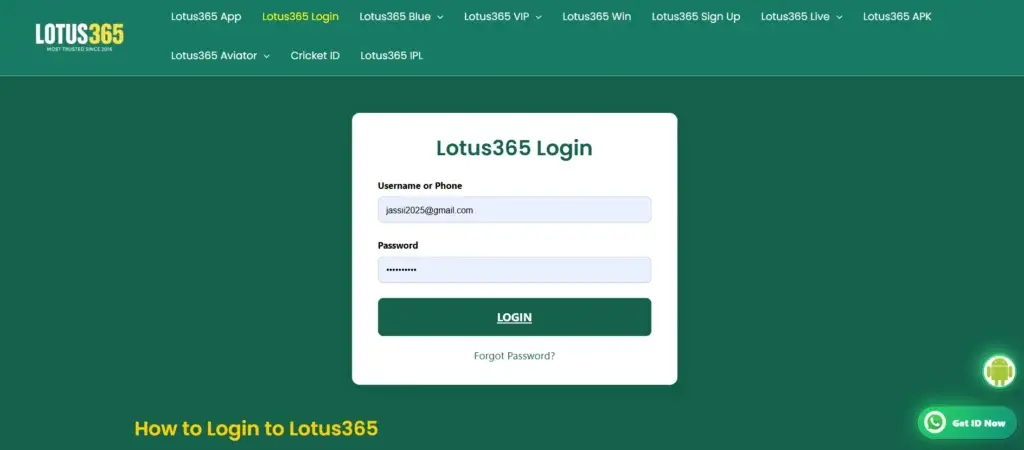
“Invalid Username or Password”
Straightforward credential mismatch — but check autofill first before assuming you typed it wrong.
“OTP Expired”
OTPs on Lotus365 (and most Indian betting platforms) expire in 5–10 minutes. If delivery was delayed past that window, the code is already dead by the time it arrives. Requesting a fresh OTP is the only option.
“Access Denied” or HTTP 403 Forbidden
Usually means: VPN IP flagged The network is a public WiFi network with an IP blocked. The limit of requests from the same IP has been reached. This is usually fixed by switching internet connections frequently.
“Too Many Attempts — Account Temporarily Locked”
Typically occurs after several unsuccessful logins in a row. A lock is usually valid for approximately 30 minutes. If you keep trying to log in, the lock time may be extended.
“Session Expired — Please Login Again”
Your authentication session has expired. Log in again.
“Login Failed” with No Further Detail
- A generic error that could indicate:
- Server validation failure Geo-restriction
- Temporary backend issue
If the problem persists, use another browser or device before contacting support.
Fix: Incorrect Username or Password
Make sure there is no interference from autofill. Android Chrome will add invisible spaces in some cases. Enter the credentials by typing them in.
Step 1: Check for autofill interference In Chrome on Android, autofill can insert spaces before or after the saved value, especially if the field type is set to tel instead of text. Type your credentials manually instead of letting autofill fill them.
Step 2: Check your password manager If you use a third-party password manager (Dashlane, 1Password, LastPass), the saved password may be outdated. Platforms prompt password resets periodically, and managers don’t always sync the update correctly. Try copying the password to a text editor first — you’ll see immediately if there’s a trailing space or if it’s an old version.
Step 3: Check keyboard and autocorrect Mobile keyboards frequently autocapitalize the first character of a password field. On Android, disable Gboard’s autocorrect while typing passwords. On iPhone, the auto-correct and predictive text bars sometimes modify input in password fields.
Step 4: Use the forgot password flow If you haven’t changed your password recently and you’re getting a mismatch, the cleanest fix is just resetting it. A lot of users resist this step thinking it’s an admission of error — it’s not. It’s the fastest path to verified credentials.
Fix: OTP Not Received or Expired
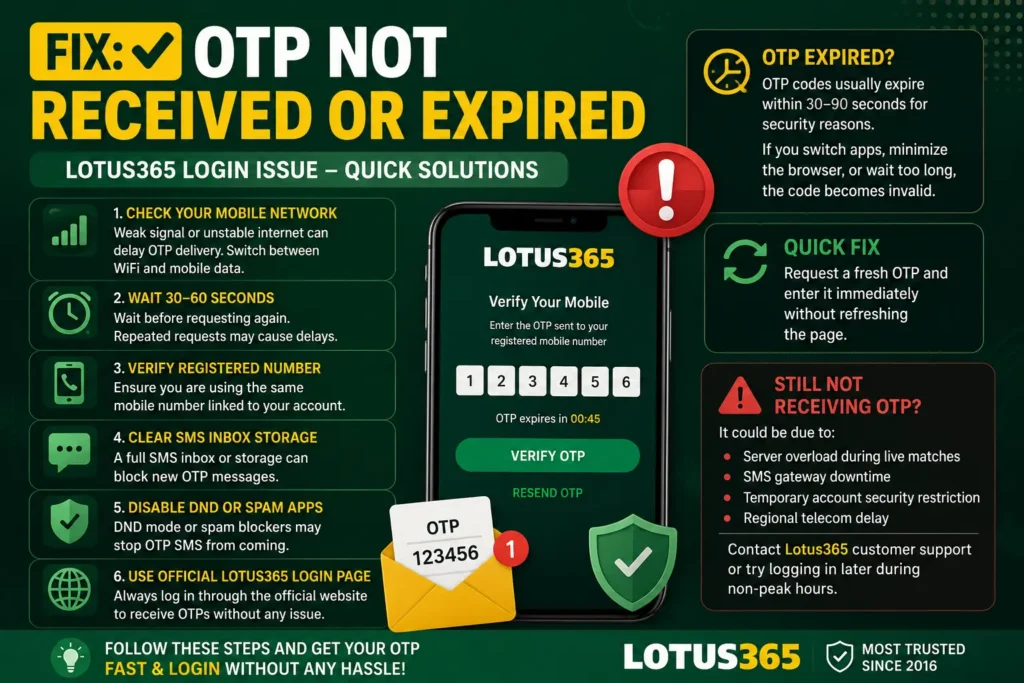
OTP failure is the most common frustrating login blocker on Indian platforms. Here’s the full picture:
Check DND Status First
If your number is enrolled in TRAI’s Do Not Disturb registry under “promotional” blocking, you may also be blocking transactional SMS from platforms whose sender IDs aren’t properly whitelisted. Check DND settings by calling 1909 or via the MyJio/Vi apps.
Network Signal vs Data Signal
A phone on 4G with a weak signal will often maintain data connectivity while dropping SMS delivery. Turn flight mode on and off to force a fresh network registration — this often resolves ghost-signal situations where your phone thinks it’s connected but SMS packets are being dropped.
Wait and Retry — But Know the Timing
During peak IPL or cricket match hours, Lotus365’s SMS provider is sending thousands of OTPs simultaneously. Indian telecom networks handle bulk SMS through aggregators, and congestion is real. If your OTP doesn’t arrive in 2 minutes, request a new one. Don’t request multiple OTPs in quick succession — platforms rate-limit this, and flooding the request queue can delay all pending OTPs further.
SIM Slot Issues
On dual-SIM Android phones, make sure you know which SIM your registered number is on. Android sometimes routes SMS to the secondary SIM slot depending on settings, while the registered number is on SIM 1.
Spam Folder on Android
Some Android phones (particularly Xiaomi MIUI and Samsung One UI) have aggressive SMS filtering that routes OTP messages from unrecognised senders into a spam/filtered folder. Check your messaging app’s spam folder explicitly.
Fix: Site Not Opening or Loading Forever
Clear Browser Cache and Cookies (The Right Way)
Clearing cache without clearing cookies — or vice versa — often doesn’t fix session corruption. You need to clear both. In Chrome: Settings → Privacy and Security → Clear Browsing Data → select “Cookies and other site data” AND “Cached images and files” → set time range to “All time” → clear.
Disable Browser Extensions
Extensions are a surprisingly common culprit. Ad blockers (uBlock Origin, AdBlock Plus), privacy extensions (Privacy Badger, Ghostery), and VPN extensions all intercept requests. Even if you’ve used them with Lotus365 before, extension updates can change blocking rules. Test in Chrome’s incognito mode with extensions disabled.
DNS Conflict Resolution
If the site loads on mobile data but not on WiFi, your router’s DNS is likely the problem. Change your device’s DNS to Google’s public DNS (8.8.8.8 and 8.8.4.4) or Cloudflare’s (1.1.1.1). On Android: WiFi settings → hold network name → Modify → Advanced → set IP settings to Static → enter DNS manually. On iPhone: WiFi settings → tap your network → Configure DNS → Manual → add 8.8.8.8.
ISP-Level Blocking
If DNS change doesn’t help and the site still won’t load, your ISP may have implemented a full block. Switch to mobile data temporarily to confirm — if the site loads on 4G but not WiFi, that’s the ISP blocking. Options: use a reliable VPN (though see the VPN caveats above about account security), or contact your ISP directly.
HTTP vs HTTPS Redirect Issues
Some routers and ISP setups interfere with HTTPS redirect chains. If you’re typing the URL without “https://” and landing on a broken redirect, try manually entering the full HTTPS URL.
Lotus365 App Login Issues
The Lotus365 App introduces a different set of failure modes from the browser experience. Most Android-specific issues trace back to either an outdated APK or Android’s aggressive power management.
Outdated APK Version
If you downloaded the Lotus365 App from the official site more than a few months ago, there’s a real chance the version you’re running has been deprecated. Betting platforms update their apps frequently — both for feature additions and for security certificate renewals. An old APK may fail at the authentication handshake level, showing a generic login error that has nothing to do with your credentials.
Fix: Uninstall the current version, download the latest APK directly from the official Lotus365 website (not from third-party APK repositories), and reinstall.
Android Battery Optimization Killing Background Processes
Android’s battery optimization aggressively kills background processes, and this can interrupt the Lotus365 App’s OTP listener or session renewal process mid-login. If the app closes itself between the time you request an OTP and when you receive it, you’ll return to a dead session.
Fix: Go to Settings → Battery → Battery Optimization → find the Lotus365 App → set to “Don’t optimize.” On MIUI (Xiaomi phones), also go to Security → Battery Saver → set Lotus365 to “No restrictions.”
Android App Permissions
The Lotus365 App needs specific permissions to function correctly — particularly network access and sometimes storage for cache. If you denied permissions during install or if a system update reset app permissions, login will fail silently.
Fix: Settings → Apps → Lotus365 → Permissions → ensure network-related permissions are granted.
Clearing App Cache vs App Data
If the app is behaving erratically (stuck on loading, login loop, white screen within the app), clear the cache first. If that doesn’t fix it, clear app data — but note this will remove saved session data and you’ll need to log in fresh.
Settings → Apps → Lotus365 → Storage → Clear Cache (try first) → Clear Data (if needed).
iPhone Compatibility
On iOS, the Lotus365 App behavior varies by iOS version. Older iOS versions may have SSL/TLS compatibility issues with the current certificate configuration. If you’re on iOS 14 or below, this is worth checking — update iOS if possible.
If the app crashes immediately on launch on iPhone, the most reliable fix is a clean reinstall: delete the app, restart the phone, then reinstall from the official source.
Account Locked or Suspicious Activity Triggered
What Causes an Account Lock
- Five or more consecutive failed login attempts within a short window
- Login attempt from an IP address significantly different from your usual location (VPN issue)
- Simultaneous login attempts from multiple devices or locations — even if legitimate
- Triggering the platform’s bot-detection system by logging in very rapidly across multiple attempts
What to Do
If your account is locked due to failed attempts, stop trying to log in. Each additional attempt can extend the lock window. Wait 30 minutes before trying again.
If you’re locked because of a VPN, disconnect the VPN completely, wait 10 minutes for your real IP to fully establish, then attempt login.
If you believe the lock is due to suspicious activity you didn’t initiate — meaning someone else may have attempted to access your account — treat this as a security incident. Change your password immediately via the password reset flow and contact support to review your login history.
Device-Specific Troubleshooting
Android
- If using Chrome on Android: check that Chrome is updated (old Chrome versions have cookie handling bugs)
- Disable “Lite mode” / “Data Saver” in Chrome — it routes requests through Google’s proxy servers, which can appear as a foreign IP to Lotus365
- On Samsung phones, Samsung Internet sometimes conflicts with saved credentials — switch to Chrome for testing
iPhone
- Safari on iOS caches aggressively — use the Safari history clear plus “Advanced → Website Data → Remove All” for a full reset
- If using iOS 17+, the “Link Tracking Protection” feature in Safari can strip authentication parameters from URLs — try disabling it for Lotus365’s domain
- Private browsing on Safari on iOS 17+ uses isolated storage per tab — opening a new private tab while another private tab has a session will conflict
Chrome Browser (Desktop)
- Check chrome://extensions — disable all extensions before testing login
- Check chrome://settings/cookies — ensure Lotus365’s domain isn’t in the “always clear” list
- If Chrome is signed into multiple Google accounts, profile-specific cookie stores can cause session conflicts — try in a different Chrome profile
Safari Desktop
- Safari’s “Prevent cross-site tracking” setting can block the authentication cookies Lotus365 sets — go to Safari Preferences → Privacy → uncheck “Prevent cross-site tracking” temporarily for testing
Jio Network Users
Jio has a documented history of intermittently blocking gambling and betting platform domains via DNS. If you’re on Jio broadband or Jio 4G and experiencing consistent access issues, the DNS fix (switching to 8.8.8.8) resolves this most of the time. Jio’s own DNS servers (182.79.x.x range) are the source of the block.
For Jio users who are comfortable with it, the long-term solution is setting a custom DNS at the router level rather than device-by-device.
Preventing Future Login Problems
Use a password manager properly. Not just to store passwords, but to keep them updated. After any Lotus365 password reset, update the entry immediately. Bitwarden (free, open-source) and 1Password are reliable options that don’t have the sync issues some free managers do.
Bookmark the correct URL. Not just any page that loads, but the actual verified official login page. Use that bookmark every time. This also protects against accidentally using a mirror or phishing URL in the future.
Don’t log in through redirects. If a WhatsApp message, Telegram channel, or affiliate link redirects you to what looks like Lotus365, independently open your bookmark instead of following the link.
Keep the Lotus365 App updated. Set a reminder to check for new APK versions monthly, or enable auto-update if the platform provides an in-app update mechanism. Outdated apps fail at authentication handshakes in ways that are hard to diagnose.
Avoid sharing devices or accounts. Multiple people logging into the same account from different devices triggers the exact pattern the security system uses to detect account compromise. Even if it’s not a security risk in your case, it creates avoidable login disruptions.
Use a stable internet connection for login. Initiating login on a weak signal — where OTP delivery is unreliable — is a setup for the frustrating loop of expired OTPs. Wait until you have a stable connection.
When to Contact Lotus365 Support
Most login issues resolve with the steps above. But there are situations where manual intervention from support is required.
Contact Lotus365 via the Lotus365 Contact Us options when:
- You will be locked out of your account for more than 60 minutes.
- You suspect that someone is using your account without your permission.
- Resetting the password does not resolve the problem.
- Unknown devices are listed on your account.
- Normal SMS service doesn’t deliver OTPs. If the app fails to log in, reinstalling will not fix the issue.
When calling support, have on hand: Registered Phone Number/Username The last successful login time. This is a screen shot of the error. List of steps already taken to troubleshoot
Do not make several support requests for the same problem; this may prolong the process of getting the problem resolved.
Frequently Asked Questions
Lotus365 login failed repeatedly even with a correct password, why?
Autofill often enters out-of-date or incorrect credentials. Enter the password by typing it in. If this doesn’t work, change the password again.
Why am I unable to login to Lotus365 from my WiFi?
The domain might be blocked by your ISP or DNS provider. Use mobile data or change your DNS to Google’s Public DNS.
Why is the Lotus365 OTP delayed during IPL matches?
During big sporting events, telecom networks may be overwhelmed with SMS traffic, which can cause a delay in OTP delivery.
Can VPN cause Lotus365 login problems?
Yes. VPNs can cause security checks or temporary account locks due to the change in the place you log in from.
How do I fix Lotus365 app login problems on Android?
First, update to the latest APK version from the official source. Second, disable battery optimization for the app. Third, clear the app cache. If none of those work, uninstall and reinstall.
Why does Lotus365 keep loading forever without reaching the login page?
This is almost always DNS or a browser extension conflict. Test in Chrome incognito with extensions disabled. If it loads there, a specific extension is blocking it. If incognito doesn’t help, switch DNS to 8.8.8.8.
What should I do if I think my Lotus365 account was accessed by someone else?
Change passwords right away and reach out to Lotus365 Support with information about the suspicious activity, such as the last time you logged in normally, any unauthorized changes or transactions.